Beat Battles Tools Hub
Finish a remix before YOU'RE UP — checklist, lanes, and gem math in one place.
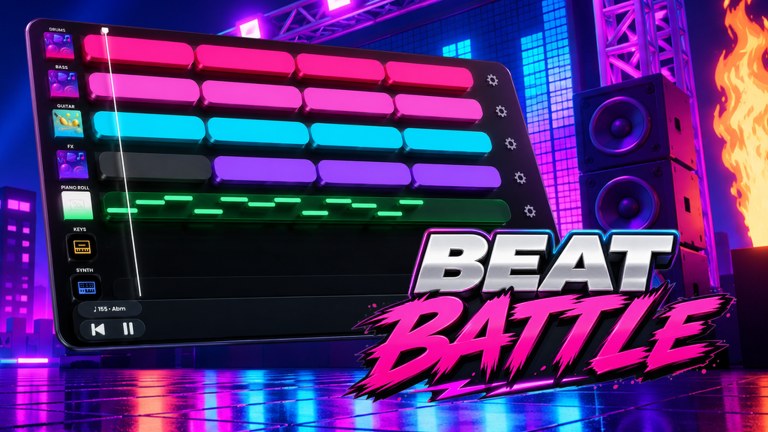
This hub is for the five minutes before the stage, not for lore. Beat Battles puts a sequencer in a 25-player Roblox server and then asks the room to vote. The tools here exist so you do not walk into YOU’RE UP with empty Drum, no Bass, a hook buried at bar 16, and FX sitting on top of the melody. Overtune’s engine is already in the client. Your job is to use it in an order that a crowd can hear.
Start with the remix checklist on every set, and keep the Stage HUD Guide open the first time Current DJ and YOU’RE UP look like two different games. It is the only page in this category that is meant to be used as a punch list: theme, drums, bass, first-bar hook, FX mask test, gem spend, stage lights, then vote. The rest of this hub tells you which long guide to open when a checklist box fails.
When the checklist is not enough
If the problem is notes, not loops, open the piano roll. Write a short hook on Keys or the roll, keep it inside the first bars, and stop adding ornaments until the crowd has heard the idea twice. If the problem is catalogue, open remix loops and the loop catalogue. Fill Drum and Bass from what you already own before you buy. A Single Loop Box at 100 gems is a hole-fill. A Triple at 250 is a related set. A Full Pack at 1100 is a catalogue event you should not fire because a checklist made you nervous.
If the problem is the live room, open how to win battles. Stars are votes, not a rhythm meter. Theme match matters. Retro is the example we can name: play the chip the HUD shows, not the pack you wish it showed. Stage FX are dressing. Starter Spotlights keep the DJ readable. The Flame Machine marks a drop. Neither one hides a missing kick.
A practical order of tools
- Read the theme chip (Retro or whatever is posted).
- Confirm Drum and Bass occupy their lanes.
- Place a hook the room can hum in the first bars. Use loops, the piano roll, or both.
- Add Guitar, Keys, or Synth only if they support that hook.
- Run FX as accents. If you cannot hear the melody, you added too much.
- Decide gems after the arrangement exists, not before.
- Plan one stage move: spotlights or flames, not both on the first beat.
- Queue, play, then stay to vote.
That order is the difference between a tool hub and a pile of links. The tier list is for ranking what to unlock next, not for skipping Drum. If an S-tier FX still buries the vocal or lead, it is a fail on the checklist even if the rarity looks expensive.
Gem math belongs next to the sequencer
Tools pages on this wiki will keep repeating the three crate prices because they are the only economy numbers we can name with confidence in this BETA: Single 100, Triple 250, Full Pack 1100. Three Singles cost 300. That is already worse than one Triple at 250 if you need three pulls and the Triple still grants three. Do not open a Full Pack to chase a theme you have not read. Do not skip a 100-gem Drum loop because you are saving for a 1100 crate you will not use this session.
Beat Battles is a live, free, online multiplayer BETA. It is not a tap-arrow trainer and it is not Friday Night Funkin. No tool here will hit notes for you, and there is no confirmed game-specific script that should. If a third-party menu promises auto-votes, close it. The useful work is still arrangement: lanes, hook, FX, lights, then stars.
What this hub will not become
We will not host a fake metronome web app or a gem calculator that pretends crate odds are published. Overtune has not posted drop tables. A checklist that names Drum, Bass, hook, and FX is more honest than a spinner. When shop prices or stage toys change, the Updates hub and BETA notes catch the new labels. This hub stays the pre-stage order of operations.
Use the checklist once on a quiet arrangement in the studio. Use it again the moment YOU’RE UP appears. The second pass is where people skip Bass, stack FX, and forget to vote. The pages linked above exist so each failed box has a longer answer. Come back here only to pick the next tool, not to reread the same intro.
Frequently Asked Questions
Quick answers for remixing, voting, and climbing Beat Battles billboards.
What is the remix checklist for?
It is a pre-stage punch list: theme, drums, bass, first-bar hook, FX mask, gem spend, lights, then vote. Open the remix checklist before every YOU'RE UP, not after a bad star score.
Do I need the piano roll on every set?
No. Loops can carry a theme if Drum and Bass are present and the hook arrives early. Use the piano roll when the room has already heard the same loop pack and you need a short original line.
How should I spend gems before a battle?
Fill holes first. Single Loop Box 100, Triple 250, Full Pack 1100. Confirm what you own on the loop catalogue before you tap 1100. Three Singles already cost more than one Triple.
Is this a tap-arrow rhythm trainer?
No. Beat Battles is a live remix contest. Stars are votes. For crowd habits and stage FX, read how to win battles instead of searching for an accuracy meter.
Which page do I open in the last minute before I queue?
The remix checklist. If a box fails, jump to remix loops or the tier list only for the missing piece, then go back to the list.