Beat Battles Share Your Best Tracks
In-experience sharing versus filming a set — friends first, no invented private-server links.
Sharing tracks is part of the official Beat Battles loop, not a fan workaround. Overtune lists it with remixing, Piano Roll writing, stage battles, voting, unlocks, catalogue growth, production level, and billboards: share your best tracks with friends. This page is that export. It covers two honest paths — letting people hear you inside the 25-player Roblox experience, and recording a sequencer project the way Overtune already documents filming and export — and it stops before fan fiction. We will not invent a Roblox private-server share URL, a pasteable track code, or a cloud library this BETA has not labeled. If you still need a first finished stack, start on Getting Started. If the stack exists but does not survive a crowd, use How to Win Battles. If you want the public climb that makes a share mean something later, use billboards and levels.
In-experience sharing, without a fake link
The most documented way to share a track in Beat Battles is still to play it where friends can hear it. You are on a live 25-player server. Queue a finished 8–16 bar remix. When YOU’RE UP! hits, the room is the audience. Friends in that instance do not need a URL we made up. They need you on Current DJ, a theme they can place (Retro is the named example), and a stack that starts loud. Chat can point them at the booth. Chat cannot host the audio file.
That is why this wiki will not print a private-server share path. Roblox private servers exist as a platform feature, but Beat Battles has not published a track-link format that we can cite, and a fan URL that looks like one becomes a phishing surface the week it is posted. If Overtune later labels an in-game share button, this page will name the button. Until then, in-experience sharing means: same server, same stage, same sequencer project, friends listening. It also means the pit can see your DJ deck and the room you unlocked. Identity is part of the share. Empty Drum is also part of the share, which is why you should not broadcast a draft just to say you posted something.
A 25-player public server is already a listening party. Invite friends through Roblox, join the official place (75605211243454), and take the set you would vote for if someone else played it. If the friends cannot join that instance, wait for a server you can share by being in it — not by pasting a mystery string from a screenshot account.
Filming and exporting the sequencer project
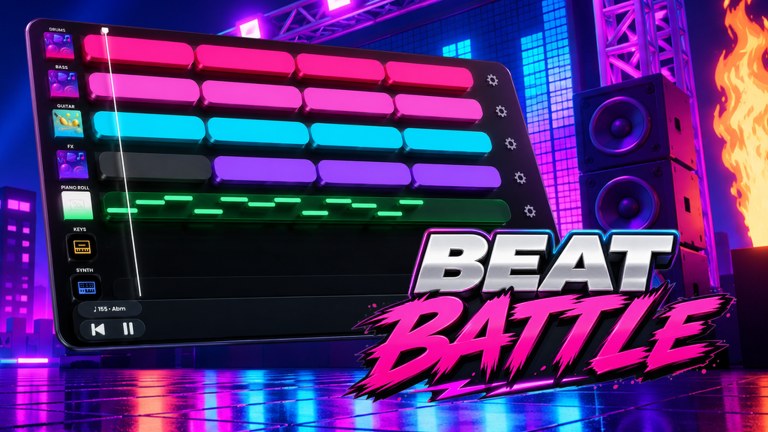
Overtune also documents filming and exporting a project with video on their sequencer. The clip on this page is that walkthrough. Treat it as studio-family craft that applies to the same lanes Beat Battles uses — Drum, Bass, Guitar, FX, Piano Roll, Keys, and Synth — not as a claim that the Roblox HUD already grew a red record button with a published file type. Recording a set is how you share outside a 25-player room: a friend who is offline, a Discord channel, a clip that still makes sense when the server has emptied.
What to capture, when you do film:
- The arrangement, not only the Flame Machine. A clip that is all pyro and no Bass is a lighting reel.
- BPM and key if the studio readout is visible. Promo examples such as 165 in A-flat minor are a reminder that clips have a home; your export should show the home you actually used.
- A full listen from bar one, the same honesty check you run before you queue. If you have to grab the playhead to make the export interesting, the track is not ready to share.
- The hook on Piano Roll or Guitar, because that is what friends remember. Writing rules for that hook live on the Piano Roll Guide. Loop choices that feed the bed live on Loops and Shop.
Export is not a substitute for performing. A beautiful video of an unfinished stack is still an unfinished stack. Use filming when the 8–16 bars already survive How to Win Battles in a live room, or when you need an offline copy of a project you are proud of. Do not treat the Overtune film-and-export video as a Roblox patch that unlocked a marketplace. It is how you take a sequencer project off the screen without inventing a share code.
What is worth sharing
Official copy says best tracks, not first kick. The quality bar is the same one the crowd uses: short, on-theme, drums present, a hook you can hum. If you would assign the set a 2, do not export it as a portfolio piece. Fix the quietest lane. Buy a Single Loop Box at 100 gems only if a foundation lane is empty. Skip the Full Pack Crate at 1100 as a share strategy; a crate dump is not a song. Cassette currency sitting beside gems does not change that rule.
Share after a session in which you actually queued, not instead of queuing. Friends who only ever see your studio screenshot cannot vote you. Billboards cannot either. The social loop is still remix, battle, vote, then export. Getting Started is the session that produces the first object worth showing. Loops and Shop is where you restock the object without turning the share into a crate haul. The Piano Roll Guide is where you give the object a sentence the clip can carry.
Do not watermark a share with fake rarity. Do not claim a track is a limited drop. Do not attach a promo code; as of September 2026 this wiki has not confirmed working codes, and a string in a video description is how clones phish. Do not attach a loadstring. There are no confirmed game-specific scripts, and a share that requires an executor is not a track share.
Discord is the after-party, not the file host of record
When you want people outside the current Roblox instance to hear a set, the official Overtune Discord is the community surface this wiki will point at — found from the Roblox game or group social links, never from an invite we invented. Walkthrough: Discord and community. Drop the recording, name the lanes that carried the hook, and ask for mix notes. Do not ask for auto-votes. Do not sell gems or tape in DMs. Do not paste a private-server URL you cannot verify.
Discord is also where BETA bugs about missing YOU’RE UP! prompts or star rows belong, with screenshots. It is not a replacement for the in-experience share. A file in a channel does not put you on Current DJ. Use both paths: perform for the 25-player room, then export for the people who missed the rotation.
Share after the climb, not instead of it
Billboards and production level are the long public record. A share is a snapshot. If you only export and never vote, you are collecting souvenirs from a contest you refused to play. If you only climb and never share, friends never hear the work. Official copy wants both. Use billboards and levels as the patience page: finish sets, collect honest stars, unlock decks and stages when production offers them, expand the catalogue, then pick the track that actually represents that week.
A useful test: would you still share this stack if the Flame Machine stayed off and the friends were in another game? If the answer depends on a neon burst or a fake link, it is not the best track yet. Go back to the sequencer. Mute the lane that is showing off. Play from the top. Then either queue again or film the pass you would actually put in front of someone you respect.
A share checklist
- Finish 8–16 bars with Drum, Bass, and a hook. Day-one path: Getting Started.
- Confirm the hook is a written figure or a Guitar identity, not a folder of clips. Writing: Piano Roll Guide. Catalogue: Loops and Shop.
- Perform it once on stage. If stars fall off a timid intro, fix that with How to Win Battles before you export.
- Share in-experience by playing it for friends in the same server. Do not invent a private-server track URL.
- If people are offline, film and export the sequencer project using Overtune’s documented capture flow — the video on this page — and keep the clip honest from bar one.
- Post the recording on the official Discord found via Discord and community, with lane notes, not with codes or executors.
- Let billboards and levels accumulate from the same finished sets. A share is a snapshot of that climb, not a skip.
That checklist keeps sharing inside the product Overtune shipped: a studio and a room. Friends hear a song. You do not owe them a mysterious link.
Frequently Asked Questions
Quick answers for remixing, voting, and climbing Beat Battles billboards.
How do I share a Beat Battles track with friends?
Play the finished set on the same 25-player server so they hear you as Current DJ, or film and export the sequencer project the way Overtune documents. This wiki will not invent a private-server share URL.
Is there an official Roblox link I can paste for my remix?
None we can cite. In-experience sharing is being in the room. For an offline copy, use the filming/export walkthrough on this page, then post it through Discord and community.
When is a track good enough to share?
When you would vote for it: short, on-theme, drums present, a hook you can hum. Build that object with Getting Started and the Piano Roll Guide before you export a draft.
Does the film-and-export video mean Roblox added a record button?
It is Overtune's sequencer capture documentation for the same studio family. Use it to take a project off-screen. Do not treat it as a dated Roblox patch or a marketplace code.
Should I share from the shop after opening a Full Pack Crate?
No. A crate is catalogue, not a song. Restock on Loops and Shop only to fill a silent lane, then share the remix that survives How to Win Battles.
How do shares relate to billboards?
A share is a snapshot. Billboards are the long public climb from finished, voted sets. Keep performing and read billboards and levels so the clip you post still matches the work you are doing.