Codes
No confirmed Beat Battles promo codes as of September 2026. Track like-milestone drops, redeem steps, and shop rewards.
View all CodesRemix loops, battle on stage, and climb the billboards in Beat Battles on Roblox.
Fan wiki for Beat Battles on Roblox: remix loops, piano roll, live stage battles, codes, unlocks, and vote-winning guides.
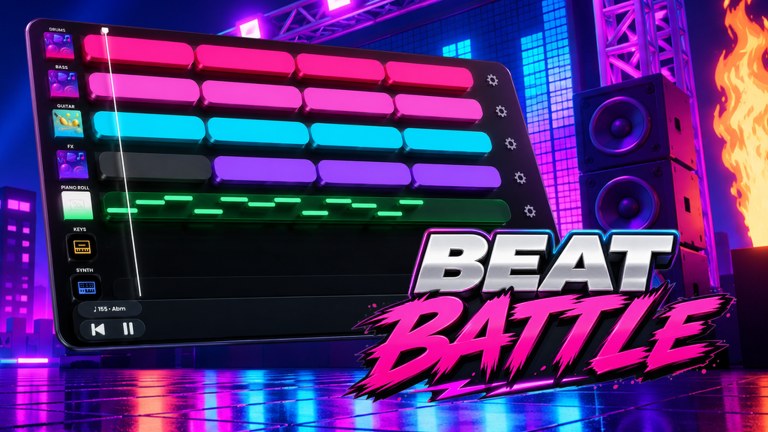
Beat Battles is a Roblox BETA from Icelandic studio Overtune: a music studio and a live remix contest in the same experience. You layer loops on Drum, Bass, Guitar, FX, Keys, and Synth lanes, write original notes on the Piano Roll, then take the track on stage while the crowd votes in stars. Unlock DJ decks, stages, and effects, expand the catalogue with loop boxes, and climb production billboards. It is not a tap-arrow rhythm game. Start with the Getting Started walkthrough, claim anything listed on Codes, study the tier list, and check BETA notes before you spend gems.
No confirmed Beat Battles promo codes as of September 2026. Track like-milestone drops, redeem steps, and shop rewards.
View all CodesStudio-to-stage Beat Battles guides: first join, controls, piano roll, remix loops, and how to win star votes on Roblox.
View all GuidesRank Beat Battles decks, stages, effects, and loop boxes by voter readability, gem value, and upgrade order in BETA.
View all Tier ListBeat Battles unlock catalogue: DJ decks, stages, effects, loops, and billboards, with a gem-first upgrade order.
View all UnlocksBeat Battles BETA patch notes: sequencer lanes, loop shop prices, stage FX, and what changed since February 2026.
View all UpdatesNo verified Beat Battles scripts as of September 2026. Auto-vote would wreck remix battles; executors still risk bans.
View all ScriptsBeat Battles remix tools: a pre-stage checklist, piano roll notes, loop picks, and vote-winning arrangement habits.
View all ToolsOfficial Beat Battles Roblox page, Overtune studio, Discord, and wiki hubs for codes, guides, unlocks, and updates.
View all LinksOpen the experience on Roblox (up to 25 players). Use the Getting Started page so you know the lobby, studio, and stage before you spend gems.
Drop loops onto Drum, Bass, and Guitar, then add a Piano Roll hook. The piano roll and remix loops guides show a clean first arrangement.
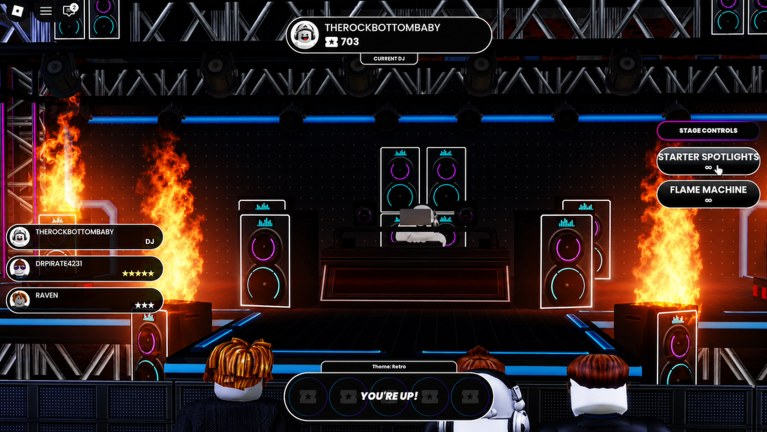
When the HUD says you are up, play the current theme (for example Retro) and use starter stage controls like Spotlights and Flame Machine. Read how to win battles and how to vote.
Level production, unlock better decks and effects, and track BETA changes on Updates. Use the remix checklist before every set.
Quick answers for remixing, voting, and climbing Beat Battles billboards.
Follow Getting Started, then controls, then take one finished beat to the stage with how to win battles.
No. Overtune built a music-making studio and live remix contest. You arrange loops and write notes, then other players vote. It is not an unofficial FNF port.
We have not confirmed active promo codes in the September 2026 BETA. Bookmark Codes and the where to find codes page so you can redeem the first drop fast.
This wiki supports: English, Français, Deutsch, Español, Português (BR). Configure locales in site.meta.json and run npm run generate:i18n.
The current DJ plays under a theme while the crowd assigns stars. Stage controls such as Starter Spotlights and Flame Machine dress the set. Details live on how to win battles and the effects tier list.
No. It is a fan resource. Confirm shop prices, unlocks, and patch notes on the official Roblox page and Overtune channels listed in Links.
Learn the sequencer, buy loops without wasting gems, and win star votes. Open the Getting Started guide or jump to how to win battles.
Start with the beginner guide